
HOW TO BUILD A STRONG BRAND IDENTITY ON SOCIAL MEDIA (EVEN WITHOUT A DESIGNER)
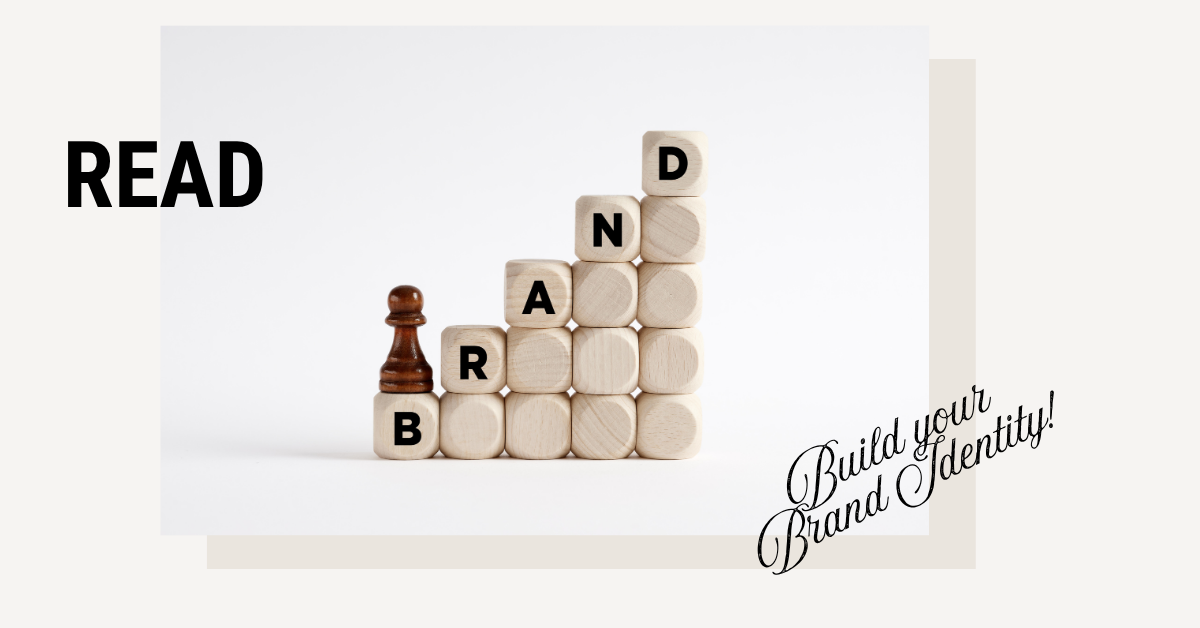
In today’s digital world, your brand identity is often the first impression your customers get and it happens in seconds. A potential client may decide whether to trust your business just by looking at your Instagram profile, your logo, or the way your posts feel.
But here’s the truth: you don’t need to hire a professional designer or marketing agency to create a strong, consistent brand. With the right strategy and tools, any small business owner can design a beautiful and memorable presence online.
Let’s break down how to build a powerful brand identity from scratch step by step using strategy, psychology, and a few smart shortcuts.
STEP 1: DEFINE YOUR BRAND CORE. WHAT YOU STAND FOR
Before you even open Canva, you need clarity.
Your visuals should express what your brand believes in, not just what you sell.
Ask yourself:
What problem am I solving for my audience?
What emotion do I want my brand to create? (trust, inspiration, joy, motivation, calm, luxury?
If my business was a person, what personality would it have?
Once you know this, everything else becomes easier, your colors, tone, photos, and captions will naturally align.
Example:
If you’re a skincare brand focused on natural ingredients, your identity should feel fresh, soft, and minimal.
If you’re a fitness coach, your visuals might feel energetic, bold, and motivational.
Tip: Write three words that describe your brand’s personality, this will become your visual compass.
STEP 2: CHOOSE A SIMPLE, MEMORABLE COLOR PALETTE
Color psychology plays a huge role in how people perceive your business.
Here’s a quick guide:
Blue → trust, professionalism, calm
Green → nature, balance, health, sustainability
Pink/Beige tones → warmth, femininity, calm energy
Black & White → luxury, confidence, simplicity
Pick 3 main colors:
Primary color – represents your core emotion
Secondary color – adds balance
Accent color – creates contrast or highlights CTA buttons
If you’re not sure where to start, explore Pinterest or Coolors.co for inspiration, or use one of the Satori Studio Canva Brand Kits, which already include balanced color palettes that communicate trust and elegance.
STEP 3: CHOOSE TWO FONTS AND STAY CONSISTENT
Typography is one of the simplest ways to make your brand look professional.
Use one font for headlines and another for body text, and that’s it.
Formula:
Serif + Sans-serif → elegant & modern
Bold sans-serif + Light sans-serif → strong & minimal
Handwritten + Serif → creative & friendly
Keep it simple: when you use too many fonts, your content looks messy and inconsistent.
Our Satori Studio templates already include balanced font pairings, you can apply them to all your designs instantly.
STEP 4: CREATE VISUAL CONSISTENCY ACROSS PLATFORMS
This is where most small businesses lose brand credibility.
When your feed looks inconsistent, different colors, fonts, or photo styles, it confuses people and lowers trust.
To fix this:
Use the same logo and profile photo on all platforms.
Keep your color palette consistent in every post.
Use templates for recurring content (quotes, promotions, testimonials, tips).
Tip: Plan your feed in advance using tools like Canva, Later, or Notion, so your grid tells a story at first glance.
STEP 5: DEVELOP YOUR BRAND VOICE
Your visuals attract, but your voice builds connection.
The way you write captions, respond to comments, and tell stories shapes how people feel about you.
Ask yourself:
Do I want to sound professional or friendly?
Do I use emojis and humor, or do I keep it elegant and calm?
What words represent my brand’s values? (e.g., “authentic,” “balance,” “confidence,” “growth”)
Example:
At Satori Studio, our voice is warm, clear, and empowering. We simplify marketing for small business owners and show them that design doesn’t have to be complicated.
STEP 6: USE TEMPLATES TO SAVE TIME AND STAY CONSISTENT
Designing from scratch can be overwhelming, and that’s where templates become your best ally.
By using Canva templates designed for your niche, you:
Save hours of content creation
Keep your visuals consistent
Look professional without hiring a designer
If you run a wellness business, beauty brand, or creative studio, you can adapt one of our Satori Studio Social Media Packs to your brand colors in minutes and maintain a professional image across all platforms.
STEP 7: CREATE A MINI BRAND KIT
Once you’ve defined your colors, fonts, and style, save everything in one place, this becomes your mini brand manual.
Include:
Logo variations
Color codes (HEX)
Font names and sizes
Visual examples (posts, stories, website headers)
Tone of voice description
You can even upload this to Canva’s Brand Hub to make every design automatically follow your identity.
STEP 8: SHOW UP CONSISTENTLY
Brand identity is not built overnight, it’s built through repetition.
The more you post with a cohesive look and voice, the faster your audience will recognize you.
Remember:
People don’t buy from brands they just notice, they buy from brands they remember.
Even if you’re posting just twice a week, consistency is more powerful than perfection.
That’s how trust and recognition grow.
FINAL THOUGHTS
You don’t need to be a designer to create a stunning brand presence.
What you need is clarity, consistency, and the right tools.
With a simple color palette, a clear brand voice, and a few well-designed templates, your social media can transform from “just another feed” to a digital storefront that sells, inspires, and connects.
Start today, choose your 3 brand colors, define your tone, and explore Satori Studio’s ready-to-edit Canva templates to bring your brand vision to life.
